
Last Updated: November 15, 2026
Quick Summary
To automate business tasks and delivery for retail consulting, first log the repetitive tasks that eat your week, then document your workflow from lead to delivery. Connect your forms, CRM, and project tools with an integration platform, and automate lead capture, client onboarding, and handoffs. Measure lead response time, admin hours, and delivery cycle time before and after launch.
- Log one week of work and target repetitive tasks that take more than 15 minutes.
- Start with one integration platform plus the tools you already pay for.
- Use one form for all enquiries and route qualified leads to a tagged list.
- Build an onboarding sequence with a 48-hour reminder if the client form is incomplete.
- Record baseline KPIs for two weeks before launch and compare after at least a month.
Table of Contents
- Mapping the Manual Tasks That Slow Your Retail Consulting Business
- Choosing Automation Tools for a Small Retail Consulting Practice
- Automating Lead Capture and Qualification for Retail Clients
- Building a Client Onboarding Automation Sequence
- Designing the Sales-to-Delivery Workflow Step by Step
- Measuring ROI and Operational KPIs After Launch
- Booking Your Roadmap Session to Put This System in Place
- Frequently Asked Questions
Retail consultants lose hours every week to work that a machine could do. Chasing leads, retyping client details, and sending the same onboarding emails again and again all add up. This guide shows how to automate business tasks and delivery for retail consulting, step by step.
The research gives a clear signal. PwC’s 2026 Digital Trends in Operations Survey found that 83% of respondents expect AI agents and automation to break down traditional functional silos. Adoption is already wide. Zapier’s 2026 business automation statistics reports that almost 60% of businesses have implemented some form of automation.
Mapping the Manual Tasks That Slow Your Retail Consulting Business
Most consultants cannot say exactly where their week goes. Start there. Automation only pays off on tasks you already repeat.
Listing repetitive tasks by week
Keep a simple log for one week. Write down every task you repeat, how long it takes, and how often it happens. Common examples include:
- Replying to the same enquiry questions
- Copying client details from email into spreadsheets
- Sending meeting reminders and follow-up notes
- Building the same report format for each client
Tasks that repeat weekly and take more than 15 minutes are the best first targets.
Documenting your current workflow from lead to delivery
Draw your process from first contact to finished project. Note each handoff, such as when a lead becomes a client or when your notes reach the person doing the work. Gaps and delays usually appear at these handoffs, so mark them clearly.
Choosing Automation Tools for a Small Retail Consulting Practice
You do not need a large tech stack. Pick tools that connect to the systems you already use, and choose by category rather than by brand. For most small retail consulting practices, four categories cover the majority of needs:
- Workflow and integration platforms (for example, Zapier, Make, or n8n) connect forms, email, calendars, and spreadsheets without custom code. These are the backbone of most small-practice automations.
- Form and intake tools (for example, Typeform, Jotform, or Google Forms) capture client requirements and store data in a structured format.
- Project and task management tools (for example, Asana, Trello, ClickUp, or Monday.com) hold reusable project templates and assign tasks automatically.
- CRM and pipeline tools (for example, HubSpot, Pipedrive, or Airtable) track leads, deals, and client records in one place.
A common pattern is to start with one integration platform plus the tools you already pay for. If your practice already runs on a platform like Airtable or Monday.com, check whether its built-in automations cover your first workflow before adding another subscription. A spreadsheet is often sufficient for a single consultant with fewer than ten active clients; move to a dedicated tool when you need shared access, audit trails, or multiple concurrent workflows.
Example integrations by retail consulting use case
- Store audit intake: Form submission creates a project record in your task tool and assigns an auditor.
- Inventory analysis reporting: A scheduled export from your spreadsheet or POS report triggers a report template and emails the client.
- Client onboarding: A signed proposal in your CRM triggers the onboarding sequence and kickoff booking.
- Follow-up reminders: A CRM stage change triggers a reminder task and a templated email.
Look for three things when you compare options:
- Works with your email and calendar
- Can trigger actions from a form submission
- Has a free or low-cost starting plan
For a broader view of setting up a new online venture, see our startup checklist for an online business. If you want to plan the costs that come with new software, read 7 startup costs for an online business that surprise new owners.
Automating Lead Capture and Qualification for Retail Clients
Set up one form for all enquiries. Ask only what you need to qualify the lead, such as retail sector, store count, and budget range. Route each completed form to a tagged list so you can reply quickly.
A short automated reply that confirms receipt and books a call keeps leads warm. Qualified leads then move straight into your pipeline without manual sorting.
Building a Client Onboarding Automation Sequence
Onboarding is where delivery often breaks down. Build a sequence that runs when a client signs. It should send a welcome message, a information request, and a scheduled kickoff invite.
Use these steps:
- Send a welcome email with your process summary.
- Share a form to collect store data, goals, and access details.
- Send a reminder after 48 hours if the form is not complete.
- Book the kickoff call automatically once the form is returned.
Designing the Sales-to-Delivery Workflow Step by Step
This is the core of the system. The goal is that nothing falls between the sale and the first day of work.
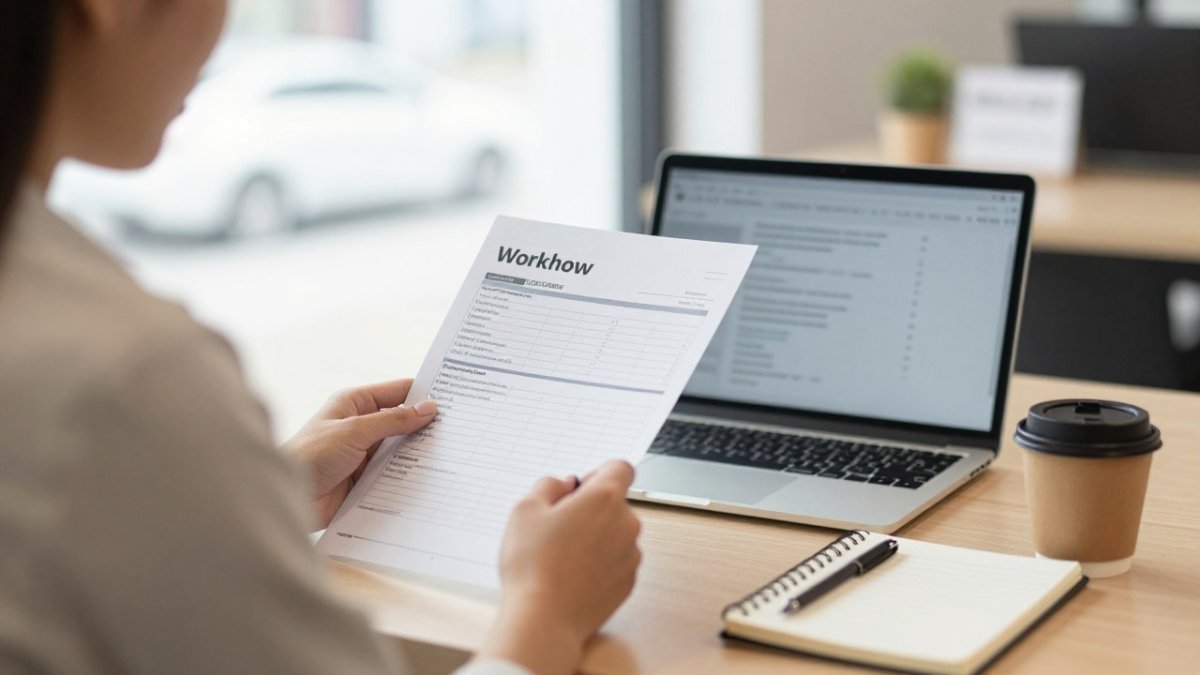
- Capture: The signed proposal triggers a project record.
- Collect: The onboarding sequence gathers client requirements.
- Define scope: Log the project scope, owner, and next steps in one place.
- Assign: Create tasks from a reusable template for the project type.
- Deliver: Send progress updates on a fixed schedule.
- Close: Trigger a review request and a final summary report.
Measuring ROI and Operational KPIs After Launch
Track a few numbers before and after you automate, and establish the baseline first. Pick a two-week window before launch, record each metric manually, then compare the same window after the workflow has run for at least a month. Useful measures include:
| KPI | What to track | Why it matters |
|---|---|---|
| Lead response time | Hours from enquiry to first reply | Faster replies win more clients |
| Onboarding completion | Days until client data is complete | Shows delivery readiness |
| Admin hours per week | Time on repeat tasks | Direct measure of time saved |
| Project handoff delay | Days between sale and kickoff | Reveals workflow gaps |
| Delivery cycle time | Days from kickoff to final report | Shows whether delivery is speeding up |
| Error and rework rate | Number of corrections per deliverable | Catches automation mistakes early |
| Utilization | Billable hours as a share of total hours | Connects automation to revenue capacity |
For retail consulting specifically, add client-outcome metrics that reflect the work itself: audit completion rate, time from store visit to client report, and the share of recommendations the client acts on. These connect automation to the value clients pay for, not just internal efficiency.
Review these every month. If a number has not improved, check whether the automation was set up correctly before assuming the tool is at fault. A common pattern is that the workflow runs but the underlying process was never standardized, so the automation simply speeds up a flawed handoff.
Watch out: measuring only time saved can hide quality problems. Pair every efficiency metric with one quality or client-outcome metric so speed gains do not come at the cost of accuracy.
Booking Your Roadmap Session to Put This System in Place
Setting up a full system takes planning, and the right order matters. Book your Roadmap Session with Digital Class Masters to map your tasks and plan your first workflow. Book Your Roadmap Session Here
Frequently Asked Questions
What is the best retail automation software for a consulting practice?
No single tool fits every retail consulting practice. Start by listing the jobs you need done: capturing leads, sending onboarding forms, tracking project milestones and invoicing. Then choose tools that connect to each other through native integrations or a simple automation layer, so client data does not need re-entering. Test each candidate with one real client before committing, and check how it handles data access and permissions, since retail client information is often sensitive.
Which tasks should a small consulting business automate first?
Begin with tasks that repeat for every client and take the most time: lead intake forms, booking confirmations, onboarding questionnaires, and standard status updates. These have clear rules and low risk if something goes wrong. Leave strategic recommendations, difficult client conversations and final sign-off with you. Once the repetitive steps run reliably for a month, you can extend automation into reporting and follow-ups.
How can retail consultants automate client onboarding and project updates?
Create one intake form that collects the client’s goals, store count, systems in use and key contacts. Trigger an automated welcome email and a project kickoff task when the form is submitted. For updates, schedule a weekly status email that pulls milestone progress from your project tool. Keep a human review step before anything sensitive leaves your inbox, and log every automated message so you can trace what a client was told.

Be the first to comment on "How to Automate Business Tasks and Delivery for Retail Consulting"