
Quick Take
The No-Regret Decision System 2.0 is a digital decision-making kit for people who want a more structured way to compare everyday options. According to the product information, it includes an offline decision desk, a guide, a fillable workbook, worked examples and editable templates.
The basic idea is to get options, concerns and priorities out of your head and onto a page. You then compare them against criteria that matter to you, check your non-negotiable limits and decide on a reasonable next step.
That approach may help when work, family, money or a busy schedule makes it harder to think clearly. But the name needs a little context. No tool can guarantee that you will never regret a decision. The product page says the scores support your judgement and cannot guarantee an outcome or remove uncertainty.
I’ve reviewed the product information available on the checkout page. I haven’t independently tested the downloadable files, so I won’t claim that I have. This review explains what the listing says, what I can reasonably assess, and what you may want to consider before buying.

At a glance
– Product: The No-Regret Decision System 2.0, Decision Desk and Kit
– Listed price: $12 USD, one-time payment, plus any applicable sales tax shown at checkout
– Format: Digital download
– Listed contents: Offline decision desk, guide, workbook, fictional worked cases and editable templates
– May suit: People who want a structured process for ordinary planning decisions
– Worth knowing: The checkout page recommends using a desktop browser. Some phone file previews may not run the HTML decision desk.
– Main limitation: This is a decision aid, not a guarantee of a perfect choice or a substitute for qualified advice on serious matters.
1. When Every Choice Feels Like One More Thing
“If too many competing tasks are adding to the pressure, my guide on how to stop feeling overwhelmed shares practical ways to break things down and decide what to tackle first.”
Some decisions are difficult because the options are complicated. Others become difficult because you’re already carrying too much.
You might be choosing between two work opportunities while worrying about household bills. Perhaps you need to decide how to spend limited time, whether to accept another commitment or which project deserves attention first. The decision itself may be manageable, but the pressure around it can make every option feel heavier.
That can lead to a familiar loop. You compare the same possibilities repeatedly, search for certainty that may not exist and ask several people for advice. Even then, you may feel stuck. Meanwhile, the decision takes up more attention than it deserves.
What a structured process might offer
The No-Regret Decision System 2.0 is designed to put a process around that kind of thinking. Based on its product description, it helps users list options, apply weighted criteria, check hard limits and record a next step.
A framework like that may help someone move from vague worry to a more organised comparison. It won’t remove outside pressure, and it won’t make the choice for you. The practical question is whether having a process written down would make your next step clearer.
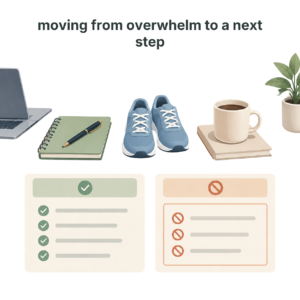
2. What The No-Regret Decision System Says It Does
The product page describes the kit as a practical tool for ordinary planning decisions. It says the decision desk lets users compare up to three options using four weighted criteria, check hard constraints and run a “one-point stress test.”
The listed package also includes:
– A 22-page guide with 20 practical lessons
– An 8-page fillable workbook with 48 fields
– Six fictional worked cases with calculations and bounded tests
– Ten editable Markdown templates
– A two-page quick start
– Evidence notes and a next-step plan
– A decision journal and printable memo
– JSON backup and import
Claims and limits to keep in mind
The product page says the decision desk runs locally and makes no network requests. It also says that no account or paid AI service is required. Those details may appeal to people who prefer not to sign up for another online service.
These are the vendor’s stated contents and claims. I haven’t opened the downloadable files myself, so I can’t confirm the layout, usability or how smoothly the decision desk works.
3. What I Could Confirm, And What I Couldn’t
I want to be clear about the limits of this review. I reviewed the product details shown on the checkout page, but I haven’t bought or tested the kit. That means I can describe what the seller says is included and assess the approach in general terms. I can’t report a personal result from using the decision desk.
Details I haven’t verified
In particular, I can’t honestly tell you:
– How long it takes to download and set up
– Whether the HTML decision desk feels easy to use
– Whether the workbook is straightforward to fill in
– Whether the JSON backup and import functions work as expected
– Whether the examples make the process easier to understand
– Whether the tool helped me make a real decision
Those are details I’d want to test before calling this a hands-on review. If I test the files later, I’d update this post with my actual experience and screenshots.
For now, my assessment is narrower. The described process has sensible elements for organising a decision, but the product’s practical value depends on whether its materials are clear and useful to you.
4. How The Decision Process Appears To Work
Fear can also make a decision feel harder to approach. I share some practical ideas in my guide to overcoming fear.”
Based on the product description, the process is intended to move from a fuzzy question to a structured next step.
A user would start by identifying the decision and listing up to three options. They would then select criteria that matter for that particular choice, assign those criteria different weights and compare the options. A hard-constraint check is included to help identify whether an option crosses a non-negotiable limit.
The role of the stress test
The product also refers to a one-point stress test. The listing doesn’t explain the full mechanics of that test, so I can’t give a detailed account of exactly how it works. The general idea appears to be checking whether a small change in the scoring would affect the preferred option. That can be a useful question when comparing options, but readers should check the guide for the product’s specific explanation.
The wider kit appears designed to help users record supporting evidence, make a next-step plan and keep a decision journal. A printable memo may provide a compact record of the reasoning. JSON backup and import are listed as ways to save or move decision data.
Not every decision needs an instant answer
The product page says the 48-hour route is only a suggestion. It also says users can act, test, defer, decline or seek qualified advice. I like that flexibility in principle. Not every decision needs an immediate answer, and not every decision should be forced into a scorecard.

5. Turning The Contents Into Practical Help
If distractions are making it difficult to think through your options, you may also find my guide to improving your focus useful.
The value of a decision tool isn’t the number of files in the download. It’s whether the materials help you think more clearly and take a sensible next step. Here’s how the listed contents might help, based on the description.
A decision desk for getting options out of your head
Comparing three options side by side may make it easier to see trade-offs. That can be helpful when you keep revisiting the same thoughts without making progress.
The limitation is that the result depends on the options and criteria you enter. A score is not an objective truth. If you overlook an important factor or give a criterion the wrong weight, the comparison may look more certain than it really is.
Weighted criteria for showing what matters most
Weighting criteria means recognising that some factors matter more than others. For example, when choosing between work commitments, available time may matter more than convenience.
This can bring hidden priorities into the open. However, assigning numbers doesn’t make the decision scientific. The weights are still your judgement, so it’s worth checking whether they reflect your actual situation rather than what you think you “should” prioritise.
Hard-constraint checks for spotting deal-breakers
A hard constraint is a limit you don’t want an option to cross. That might be a budget ceiling, a deadline, a personal boundary or a requirement that something must be in place before you proceed.
This may be particularly useful when outside pressure is nudging you towards an option that doesn’t fit your real limits. A checklist can help make those limits visible. It can’t enforce them for you, though. You still decide what to do with the information.
A guide, workbook and cases for learning the method
The guide, workbook and fictional cases are intended to explain and demonstrate the process. Examples can help users understand a framework before applying it to their own situation.
Since I haven’t viewed these files, I can’t assess whether the examples are clear, realistic or easy to adapt. That’s an important point to check if you buy the kit.
A journal and next-step plan for following through
A written record may help you remember why you made a choice and what you planned to do next. This can be useful when doubt creeps in later and you start replaying the decision without remembering the original constraints.
A journal isn’t a way to prove that a decision was perfect. Its more practical purpose is to preserve your reasoning and help you learn from what happens next.
6. The Upsides And The Trade-Offs
“A framework can help you check whether your activity is moving you forward. I explore the difference between being busy and making progress in The Illusion of Progress.”
Potential pros
- A defined process may help if you tend to go around in circles when making a decision.
- The package includes several types of material, such as a guide, workbook, examples and templates, according to the product listing.
- Hard-constraint checks can help you identify deal-breakers before comparing your options.
- Next-step planning encourages you to decide what to do after weighing the options.
- The product page says the decision desk runs locally and makes no network requests.
- No account or paid AI service is required, according to the listing.
- The listed price is a one-time payment of $12 USD, plus any applicable tax.
Potential cons
– I haven’t verified the download or tested the tool. Don’t treat this review as a personal-use report.
– The process may feel like extra work. If you’re already overloaded, filling in criteria and fields could feel burdensome rather than clarifying.
– It’s described as a desktop-first experience. The checkout page warns that some phone file previews may not run HTML apps.
– There’s no cloud sync. The product page says local saving depends on your browser, so users should export JSON backups after important sessions.
– It doesn’t include personalised coaching. The product listing specifically says there is no personalised coaching.
– It can’t remove uncertainty or guarantee a regret-free choice. The vendor says this directly, and it’s important not to expect more.
– Its usefulness depends on how you use it. A structured score can still reflect incomplete information or assumptions.
7. Who This Decision Kit May Suit, And Who May Want To Skip It
It may suit you if:
– You regularly compare options and struggle to settle on a next step.
– You prefer writing things down rather than relying on memory.
– You want a repeatable process for ordinary planning decisions.
– You’re comfortable using a desktop browser to open a downloaded HTML file.
– You understand that the tool supports your judgement rather than replacing it.
– You’re willing to test whether a structured method fits your way of thinking.
You may want to skip it if:
– You expect a tool to make the decision for you.
– You’re looking for a guarantee that you won’t regret your choice.
– You need a mobile-only tool and aren’t comfortable with downloaded files.
– You want cloud synchronisation, an online account or personalised coaching.
– Your decision requires specialist legal, financial, medical or other professional advice.
– Worksheets and scoring systems make you feel more anxious or stuck.
For an important decision with serious consequences, use appropriate qualified support. A decision framework can help you organise questions, but it isn’t a substitute for professional advice.
8. How It Compares With A Notebook, Spreadsheet Or AI Chat
The simplest alternative is a notebook. Write down the decision, options, priorities, constraints and next step. That costs nothing if you already have paper and may be enough for a straightforward choice.
A spreadsheet can do something similar. You can create columns for options and criteria, then assign weights or notes. It gives you flexibility, but you have to build the structure yourself. If you enjoy making your own system, you may not need a separate kit.
Where this product may fit
An AI chat tool can help you generate questions to consider or organise a list of pros and cons. But it may not know your full circumstances, and you remain responsible for checking its suggestions. The product page says this kit does not require paid AI, which may suit people who prefer not to bring AI into their decision process.
The No-Regret Decision System 2.0 appears to sit between a blank notebook and a custom-built spreadsheet. It aims to provide a ready-made framework, examples and templates in one download. Whether that convenience is worth paying for depends on how much you value having the structure prepared for you.
I can’t make a fair comparison on speed or ease of use without testing the actual files. The checkout page’s listed price is $12 USD, but check the current checkout total, including any applicable tax, before purchasing.
9. Price, Download Details And Refund Information
The checkout page I reviewed lists the core product at $12 USD as a one-time payment, with applicable sales tax shown at checkout. It describes the product as a digital download, with delivery after a successful payment.
Download and device details
The listed setup instructions are to download and extract the ZIP, then open the quick-start PDF and the Decision-Desk HTML file. A desktop browser is recommended. The product page warns that some phone file previews may not run HTML apps.
The page also says there is no subscription, no account requirement and no paid AI service requirement. It says there is no cloud sync, and that local saving depends on your browser. The vendor recommends exporting JSON backups after important sessions.
Refund and checkout details
The checkout page lists a 60-day money-back policy. Check the current terms at checkout before buying, because payment and refund conditions can change. The product page lists fkc.code@gmail.com for product access support.
I can only report what was visible on the product page when I reviewed it. The page also stated that the order form was not public yet and that a newer version of the order form was not public yet. That’s why you should test your affiliate link before publishing this post or directing readers to it.
I can’t confirm whether the checkout includes additional offers or upsells. None were described in the product information available for this review, so I wouldn’t assume they are or aren’t part of the purchase flow.
10. Is The No-Regret Decision System 2.0 Worth $12?
At the listed price, the main question is whether you want a prepared framework enough to pay for it. If you’d use the guide, workbook, examples and templates to build a repeatable decision habit, the package may be worth considering.
If you only need to make one simple choice, a notebook or free spreadsheet may be enough. Buying a larger collection of templates won’t automatically make the process more comfortable if you don’t like structured exercises. And if you expect certainty, this isn’t the right kind of product to provide it.
Three questions to consider before buying
1. Would I use the process more than once? A reusable framework has more potential value if you face similar decisions regularly.
2. Am I comfortable with the format? The desktop browser and extracted download requirements may not suit everyone.
3. Do I understand the limitations? The tool supports judgement. It does not guarantee the best outcome or remove doubt.
My verdict on value is conditional. The listed price is modest compared with hiring someone to build a custom system, but that doesn’t mean the kit is automatically right for you. Its real value depends on the quality of the materials and whether you actually use them. I haven’t tested those materials, so I can’t make a stronger claim.
11. Questions I’d Ask Before Buying
Does it guarantee a regret-free decision?
No. The product page says the scores support your judgement and cannot guarantee outcomes, remove uncertainty or ensure freedom from regret. The name is the product’s framing, not a promise.
Is it a subscription?
The checkout page describes the $12 USD payment as a one-time payment with no subscription. Check the live checkout details before paying.
Do I need an account or paid AI service?
The product page says no account or paid AI service is required.
Can I use it on my phone?
The product page recommends a desktop browser and warns that some phone file previews may not run HTML apps. If you plan to use it on a phone, check whether your device can open the Decision-Desk HTML file.
Does it save my information online?
The listing says the desk runs locally and makes no network requests. It also says local saving depends on your browser and recommends exporting JSON backups after important sessions. The product does not offer cloud sync, according to the page.
Is it suitable for major life or professional decisions?
The product is described for ordinary planning decisions. It shouldn’t replace qualified professional advice for serious or specialist matters.
What is the refund policy?
The checkout page lists a 60-day money-back policy. Read the current terms at checkout before purchasing.
12. My Verdict: A Framework, Not A Crystal Ball
The No-Regret Decision System 2.0 looks, from its product description, like a structured decision-making kit for people who want to compare everyday options and identify a next step. The combination of a decision desk, guide, workbook, worked cases and templates may appeal if you like having a process laid out for you.
Its most important limitation is also clear: a scoring tool can help organise your thinking, but it can’t make uncertainty disappear. You still choose the options, criteria and weights. If the decision is high-stakes, a worksheet should not be your only source of guidance.
I also can’t give this a true hands-on endorsement because I haven’t tested the files. Based only on the listing, I’d call it a potentially useful structure for the right user, with important format and testing caveats.
Provisional rating: 3 out of 5, based on the product information only. I’d want to test the download, the decision desk and the examples before giving it a firmer rating. As it is not an expensive product, I believe it is worth a look.
If you’re comfortable with digital downloads and want a reusable framework for ordinary decisions, it may be worth looking at. If you need personalised guidance, a mobile-first tool or certainty about what to choose, I’d pass or look for a better fit.
13. Check The Details Before You Decide
If the approach sounds useful, check the live product page for the current price, download details and refund terms.
View The No-Regret Decision System 2.0
Be the first to comment on "The No-Regret Decision System 2.0 Review: A Practical Tool for Decisions Under Pressure?"