
Quick take: Most disappointing AI answers come from thin prompts (the instruction or question you give to AI), not a weak tool. Give the AI context, set some limits and say exactly what a good result looks like. Then save the prompts that work as templates so you never start from scratch again.
I use AI tools a lot these days.
And I have noticed something. When the answer comes back bland or generic, my first instinct is to blame the tool. Usually, though, the problem is what I typed in.
Writing better AI prompts is a skill. The good news is that it isn’t a complicated one, and a few simple habits make a surprising difference.
That is why I have started a series on getting real results from AI, beginning with a free AI Starter Kit(Click here). More on that at the end.
Why Most AI Prompts Fall Flat

A typical prompt is one short sentence. For example:
“Write a blog post about productivity.”
As a result, the AI has to guess almost everything. Who is it for? How long should it be? Should it be chatty or formal? What angle should it take?
When it has to guess, it plays safe. And safe usually means generic.
In other words, it is a bit like asking a builder to “do something with the kitchen” and then being surprised by what you get.
Treating AI like a Google search is the most common mistake. After all, a search engine only needs a few keywords. An AI tool, however, works far better when you give it the full picture.
The Three Things Better AI Prompts Include
Good prompts nearly always have three things in them.
Context. First, tell the AI what role to take and what the situation is. For example, “You are writing for small business owners who are new to email marketing” gives it something to work with straight away.
Limits. Next, say how long, what format and what tone. “About 250 words, friendly but professional, as a short email.” Without limits, answers tend to wander on and therefore need heavy editing.
A clear target. Finally, describe what a good result looks like. “Include three practical tips” or “end with a question for the reader” is far more useful than “make it engaging”.
If you leave out two of these, the results drop off quickly. But if you include all three, you will often get something usable first time.
How Much Context Is Enough?
You don’t need to write a novel.
A sentence or two usually does it. I find it helps to cover three points:
1. Who the AI should be (a marketer, a teacher, a customer service assistant).
2. Who it is writing for (beginners, busy parents, retired people new to the internet).
3. What shape the answer should take (three bullet points, a 150-word email, a short outline).
Your whole business history isn’t needed. Just the bits that change the answer.
Be Specific
Vague words invite guesswork.
For instance, compare these two requests:
“Write a follow-up email.”
“Write a 150-word follow-up email to someone who downloaded my free guide three days ago but hasn’t opened any emails since.”
The second one tells the AI who the reader is, what happened and how long it should be. So tone, length and purpose all fall into place.
Numbers also help a great deal here. Five ideas, 300 words, three examples. Each one removes a guess.
What to Do When the Answer Still Misses
Even a good prompt sometimes misses.
You rarely need to start again. A short follow-up usually fixes it: “That’s close, but make the examples about gardening rather than fitness.”
Another trick I like is asking the AI to explain its plan first. “Before you write this, tell me what angle you intend to take.” If the plan is wrong, you have only lost a few seconds.
For bigger jobs, break the task into steps. Ask for an outline first, then expand each section one at a time. Asking for a complete 2,000-word article in one go is where things often go wrong.
It is also worth knowing that different tools are better at different jobs. If one keeps struggling with a task, try the same prompt somewhere else.
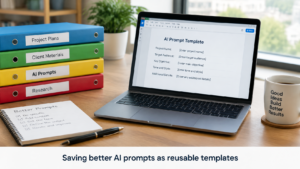
Turn Good Prompts Into Templates
Once a prompt works, save it.
To do that, swap the specific details for blanks you can fill in next time. For example:
“Write a 150-word product description for [PRODUCT] aimed at [AUDIENCE] who struggle with [PROBLEM]. Focus on [MAIN BENEFIT] and keep the tone [TONE].”
Then, next time you need a product description, you simply change the words in brackets and you are done.
A simple document with your best templates, sorted by task, saves a lot of typing. It also means you aren’t relying on remembering what worked last time.
This ties in with something I wrote about in The Illusion of Progress.(Click here for the post) Rewriting the same prompt five times feels like work. However, a template that works first time is actually progress.
Where to Go From Here
Better AI prompts don’t need clever formulas.
Give the AI context. Set some limits. Say what a good answer looks like. When something works, keep it.
Do that consistently and the tools you already have will start earning their place.
Want to Take a Look?
The free AI Starter Kit is the first part of my AI success series. It’s a short, plain-English guide to seven simple principles for getting better results from AI. It starts with deciding what a good result looks like before you type anything, and ends with checking the facts afterwards.
Three extras come with it: a Prompt Planner to fill in before you ask, a checklist for reviewing AI’s answers, and a one-page summary of all seven principles.
There is no need to take my word for it. Have a look and see whether it helps with the way you use AI.
Be the first to comment on "How to Write Better AI Prompts That Actually Work in 2026"